How to convert an SVG logo to PNG at the right size
Updated:
SVG is the ideal format for a logo: it is drawn from shapes, not pixels, so it stays sharp at any size. But slides, social networks, email signatures and many website builders only accept bitmaps such as PNG. Converting is easy; getting the size right is the part people miss. We tried it on this site's own logo.
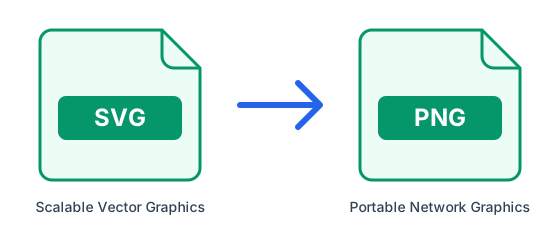
Why PNG
PNG is the bitmap format closest to what SVG gives you: lossless, with sharp edges and a transparent background, so the logo sits cleanly on any colour.
Convert the SVG
- Open SVG to PNG.
- Upload the SVG file.
- Download the PNG: the background stays transparent.
Get the size right
The PNG is drawn at the size the SVG declares: its width and height attributes, or its viewBox if those are missing. Our own logo is a good example of the trap. Its file declares only viewBox="0 0 32 32", so the PNG came out 32 × 32 pixels: fine for a browser tab, useless for a slide.
The fix takes a minute. Open the SVG in any text editor, find the opening <svg> tag and add width and height in the same proportions as the viewBox, for example width="512" height="512". Save and convert again: the logo is redrawn from its shapes at the new size.
What we measured
We converted our 304-byte logo after declaring four different sizes. Each PNG was redrawn from the shapes, so even the largest one has perfectly clean edges, and the files stay small because a logo is mostly flat colour.
| Size declared in the SVG | PNG produced | PNG file size |
|---|---|---|
| viewBox only (32 × 32) | 32 × 32 px | 0.7 KB |
| width and height 512 | 512 × 512 px | 11.7 KB |
| width and height 1024 | 1024 × 1024 px | 25.7 KB |
| width and height 2048 | 2048 × 2048 px | 60 KB |
Why not just enlarge a small PNG?
We tried that too. Stretched to 512 pixels in an image editor, the 32-pixel PNG became a soft, blurry square: the program can only guess the missing pixels. The version redrawn from the SVG at 512 pixels was crisp. Always go back to the SVG and convert at the size you need, rather than resizing a PNG you already have.
Other formats from the same SVG
SVG to WebP keeps the transparent background and gave a smaller file: 5.6 KB for the 512-pixel logo against 11.7 KB as PNG, good for websites. SVG to JPG works too, but JPG has no transparency, so the background becomes white. For printing, choose SVG to PDF: the logo stays a vector drawing, so it is sharp at any print size, and ours took 1.2 KB whatever size we declared.
Watch the fonts
If the logo's lettering uses a font that is neither embedded nor converted to outlines, it may be drawn with a similar font instead. Designers usually convert text to outlines before delivering a logo; if yours looks different, ask for an outlined version. Images that the SVG links from other websites are not loaded.
How we tested
We used the logo file this site serves, unchanged except for the width and height we added, and converted it with this site's SVG converters, which draw the image with librsvg on the same software our servers run. Your logo's file sizes will depend on its colours and detail, but the rule holds for every SVG: the declared size decides the size of the PNG.
Further reading: MDN — SVG: Scalable Vector Graphics