How to reduce a PDF's size to send it by email
Updated:
Most email services refuse attachments over about 20–25 MB, and online forms often stop at 1–10 MB. A scanned contract or a PDF full of photos easily goes past that. Here is how to shrink it, and how much each level of compression saved on a real file.
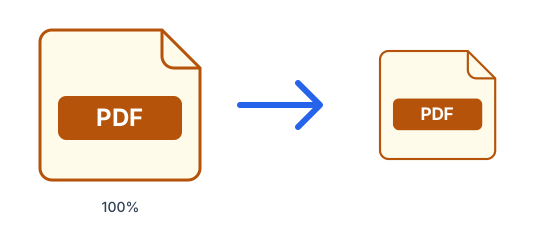
Why is my PDF so big?
Text takes almost no space. What makes a PDF heavy is images: scanned pages (each page is a photo), embedded photos exported at full camera resolution, and sometimes fonts. Shrinking a PDF therefore mostly means storing those images more efficiently, which is exactly what the compressor does.
Compress the PDF online
- Open Compress PDF.
- Choose a level: Balanced suits email; Strong gives the smallest file.
- Upload the PDF and download the smaller version. You see exactly how much it shrank.
What each level did to a real PDF
We compressed a five-page PDF made from 12-megapixel photos, 7.4 MB in total. Every level re-saves each photo at a smaller size and a lower JPEG quality, and the difference between them is how far it goes. Even Light took the file down by almost three quarters; Balanced and Strong took it well under a megabyte.
| Level | Each photo is stored at | Result | Saved |
|---|---|---|---|
| Light | up to 2,400 px, high quality | 2.0 MB | 73% |
| Balanced | up to 1,600 px, good quality | 690 KB | 91% |
| Strong | up to 1,100 px, lower quality | 310 KB | 96% |
Will it look worse?
Only the photos inside are re-encoded. Text and vector graphics are never touched, so they stay sharp at every level, and small images such as logos and icons are left alone. On a full A4 page, Balanced keeps about 140 pixels per inch, plenty for reading; Strong keeps about 95, where small print in a photographed page can start to blur. If the result is ever not smaller, you get your original back unchanged.
When compression barely helps
A PDF made of text is already small. Our one-page report with text and a small table weighed 34 KB and only went down to 28 KB, because there were no photos to shrink. If a text-only PDF is still large, it usually carries many embedded fonts or a few big images; ask whoever made it to export it again with smaller images.
Still too big?
Try the Strong level. If one document is simply very long, you can also send only the pages that matter: extract them with Split PDF, then compress the result. And if the PDF is a set of photos you took, the photos-to-PDF guide shows how to keep the file small from the start.
How we tested
The five-page PDF was made with this site's JPG to PDF and Merge PDF tools from Unsplash photographs that ship with Edubuntu, scaled to about 12 megapixels. The text PDF is a one-page report we wrote ourselves. Both were compressed with this site's Compress PDF, which runs the same code as our servers. Scans of plain paper usually shrink even more than photographs.
Further reading: Gmail Help — Attach files