Audio converter
This free online audio converter changes files between MP3, WAV, FLAC, OGG and AAC — for music, podcasts, voice notes or sound effects. It works in any browser, on any device, and the conversion runs on our servers.
Popular audio conversions
Formats supported by the audio converter
AAC (Advanced Audio Coding)
AAC is the successor to MP3 and generally sounds better at the same bitrate. It is the audio format behind Apple Music, YouTube and most MP4 videos, and it is supported by all modern phones and browsers.
FLAC (Free Lossless Audio Codec)
FLAC compresses audio without discarding anything: decoded, it is bit-for-bit identical to the original, yet typically 40–60% smaller than WAV. It is the favourite of audiophiles and music archives, although some older players and Apple apps do not support it.
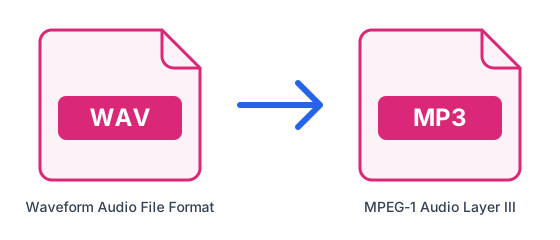
MP3 (MPEG-1 Audio Layer III)
MP3 is the classic compressed audio format. It removes sounds the ear barely notices to shrink files to roughly a tenth of CD size, and it plays on every phone, car stereo and music app, which is why it remains the default for music and podcasts.
OGG (Ogg Vorbis)
OGG is an open, patent-free container most often used for Vorbis or Opus audio. It gives good quality at low bitrates and is common in games, web apps and Linux software, but many car stereos and Apple devices do not play it.
WAV (Waveform Audio File Format)
WAV stores audio as uncompressed PCM, exactly as it was recorded. That makes it the standard for recording, editing and mastering, where no quality can be lost, but a WAV file is about ten times larger than the same audio in MP3.
All audio conversions
More format combinations (39)
- MP3 to MP4
- MP3 to MKV
- MP3 to AVI
- MP3 to MOV
- MP3 to WebM
- MP3 to FLAC
- MP3 to OGG
- MP3 to AAC
- WAV to MP4
- WAV to MKV
- WAV to AVI
- WAV to MOV
- WAV to WebM
- WAV to OGG
- WAV to AAC
- FLAC to MP4
- FLAC to MKV
- FLAC to AVI
- FLAC to MOV
- FLAC to WebM
- FLAC to WAV
- FLAC to OGG
- FLAC to AAC
- OGG to MP4
- OGG to MKV
- OGG to AVI
- OGG to MOV
- OGG to WebM
- OGG to WAV
- OGG to FLAC
- OGG to AAC
- AAC to MP4
- AAC to MKV
- AAC to AVI
- AAC to MOV
- AAC to WebM
- AAC to WAV
- AAC to FLAC
- AAC to OGG
Frequently asked questions
- Which audio formats does the audio converter support?
- MP3, WAV, FLAC, OGG and AAC, in any direction. To take the sound out of a video, use the video converters, which can export any of these audio formats.
- What is the difference between lossy and lossless audio?
- Lossy formats (MP3, AAC, OGG) remove detail the ear barely notices to make files small. Lossless formats (FLAC, WAV) keep every bit, so files are larger. Converting lossy to lossless does not bring the removed detail back.
- Is there a file size limit?
- Free accounts can convert files up to 50MB, 10 times every 24 hours; Pro raises the limit to 1.5GB with unlimited conversions.