MP4 vs MOV: what's the difference and which should you use?
Updated:
MP4 and MOV look interchangeable, and often the video inside them is exactly the same. The difference is the container around it, and that container decides which devices and apps will open your file. We converted the same clip several ways to show what really happens.
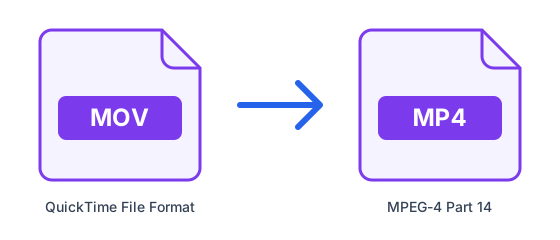
Containers, not codecs
A video file is a box, the container, holding streams compressed with a codec: usually H.264 or HEVC for the picture and AAC for the sound. MOV is Apple's QuickTime container; MP4 is the international standard that grew out of it. Both can hold the same H.264 or HEVC video and the same AAC audio.
Which one to choose
Use MP4 to share: it opens on Windows, Android, smart TVs, video sites and most editors. MOV is fine inside the Apple world and is what iPhones and some professional cameras record by default. If a person, a platform or a program asks you for MP4, converting is quick and, done right, costs nothing in quality.
Convert MOV to MP4
- Open MOV to MP4.
- Upload the video.
- Leave Resolution on Original under Advanced options to get a fast, lossless copy, then download the MP4.
What we measured
We saved a 45-second, 1280 × 720 clip twice, once with H.264 video and once with HEVC, both with AAC sound in a MOV, and converted each one to MP4. With Resolution left on Original, the converter copied the streams into the new container: it took a fifth of a second, and we checked that the video and audio data in the MP4 were bit-for-bit identical to the MOV's. Choosing a resolution forces a full re-encode instead, which took around 25 seconds on our test machine.
| Source and setting | Time | MP4 size | Result |
|---|---|---|---|
| H.264 MOV (14.5 MB), Original | 0.2 s | 14.5 MB | identical streams |
| HEVC MOV (7.8 MB), Original | 0.2 s | 7.8 MB | identical streams, still HEVC |
| H.264 MOV, 720p | 26 s | 7.3 MB | re-encoded as H.264 |
| HEVC MOV, 720p | 24 s | 6.2 MB | re-encoded as H.264 |
Does converting lose quality?
Not when the streams are copied, and they are copied whenever the video inside the MOV is H.264 or HEVC with AAC sound, which covers iPhone and most camera footage. The MP4 holds exactly the same data; only the box changes, which is why our copy was 51 bytes smaller than the MOV and nothing else.
A re-encode is different: the picture is compressed again with a standard quality setting. A high-bitrate phone video usually gets noticeably smaller that way, as ours did, but each re-encode loses a little detail and takes far longer. Only choose a resolution when you need a smaller file or a different codec.
When an HEVC video won't play
iPhones usually record HEVC (also called H.265). Copied into an MP4 it stays HEVC, and it keeps the codec label Apple devices look for, so it still plays on iPhones and Macs. Some older PCs, TVs and editing programs cannot decode HEVC, though; on Windows, the built-in apps need Microsoft's HEVC Video Extensions to play it.
If that happens, convert again and pick a resolution under Advanced options, 1080p or 720p: the video is then re-encoded to H.264, which plays practically everywhere. In our test the HEVC clip came out as a 6.2 MB H.264 MP4.
What the copy keeps
The fast copy carries the first video track and every audio track. Subtitle tracks are not copied, so if your MOV has them, keep the original. Keep the original anyway until you have watched the MP4 on the device you care about.
How we tested
The clip is "Selfie del futuro" by Alberto Mardegan, from the sample content that ships with Ubuntu, saved as H.264 and as HEVC at high quality in a MOV container. We converted both with this site's converter, which runs the same FFmpeg commands as our servers, and compared the streams with FFmpeg's own checksums. Times depend on the computer and grow with the length of the video; the copy stays a matter of seconds even for long files.
Further reading: MDN — Media container formats (file types)