JPG or PNG? Which image format to use and when
Updated:
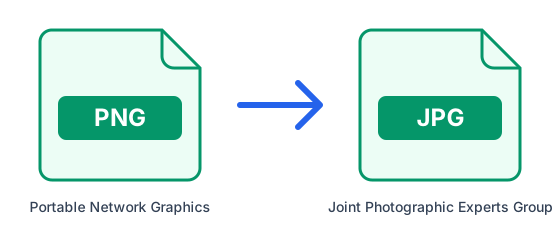
JPG and PNG are the two image formats every device opens, but they are built for different jobs. Pick the wrong one and you get either a huge file or blurry text. We converted the same photos and screenshots both ways with this site's converters to show how big the difference really is.
The short answer
Use JPG for photographs: it makes them small with no visible loss. Use PNG for screenshots, logos, diagrams and anything with text, sharp edges or a transparent background: it keeps them crisp and exact. If the image is going on a website, WebP usually beats both.
Why the difference matters
JPG uses lossy compression tuned for photos. It discards detail the eye barely notices in a natural image, which is why a 12-megapixel photo fits in a megabyte or two. On flat colours and sharp edges the same trick shows: faint halos and smudges appear around text and lines, most visible when you zoom in.
PNG is lossless: every pixel is stored exactly. That is perfect for graphics, where large areas share the same colour and compress very well, but photos have almost no such areas, so they come out several times larger than as JPG. PNG also supports transparency; JPG does not.
What we measured: photos
We took 17 photographs, resized each to about 12 megapixels (the resolution of most phone cameras) and saved them as high-quality JPGs of 1.5 MB on average. Converted to PNG, every single one grew, by 4.5 to 9 times, and none looked any better: a PNG can only keep the detail the JPG still had. The same photos as WebP at High (85) quality were half the size of the JPGs.
| Format | Average size | Compared with the JPG |
|---|---|---|
| JPG (original, quality 92) | 1.5 MB | — |
| PNG | 8.5 MB | 5.7 times larger |
| WebP, default quality | 1.2 MB | 18% smaller |
| WebP, High (85) | 0.75 MB | 50% smaller |
What we measured: screenshots
We also saved three screenshots of this website, 1440 × 900 pixels each, as PNG: 91 KB on average. Here the result flips. As JPGs at the default quality they grew by 76%, and even at High (85) they were no smaller than the PNGs, while picking up the faint smudges JPG leaves around letters. Screenshots are mostly flat colour and sharp text, exactly what PNG compresses best.
| Format | Average size | Compared with the PNG |
|---|---|---|
| PNG (original) | 91 KB | — |
| JPG, default quality (92) | 160 KB | 76% larger |
| JPG, High (85) | 90 KB | about the same |
| WebP, default quality | 40 KB | 56% smaller |
How to convert between them
- Open PNG to JPG (or JPG to PNG).
- Upload your image, or up to 20 at once.
- For JPG, you can pick a quality under Advanced options: High (85) keeps photos looking the same at a smaller size. Then download.
Common mistakes
Converting a JPG to PNG does not improve its quality: the detail JPG removed is gone, and you only get a bigger file, 5.7 times bigger in our test. Converting a logo with a transparent background to JPG fills those areas in, so keep logos as PNG. And saving a JPG again and again adds a little more loss each time: edit from the original file and export once at the end.
What about WebP?
WebP was the smallest format in both tests: half the size of the JPG for photos at High (85), and less than half the size of the PNG for screenshots. Every current browser displays it, so it is the best choice for images on a website. For files you send to other people, upload to forms or print, JPG and PNG are still the safest, because every program opens them.
How we tested
The 17 photos are the Unsplash photographs that ship with Edubuntu, the education edition of Ubuntu, scaled to 4,032 pixels on the long side and saved as JPG at quality 92. The screenshots show this site's home page, a converter page and the guides page. Every conversion went through the same code and the same ImageMagick version that run on our servers, with default settings unless the table says otherwise. Your own files will give different numbers, but the pattern is typical: photos are far smaller as JPG, screenshots are smaller and sharper as PNG.
Further reading: MDN — Image file type and format guide