Compress PDF
Make PDF files smaller so they fit email attachments, upload forms and messaging apps. Choose how strong the compression should be, upload the file and download the result — it never comes back bigger than the original.
Drag & drop your PDF file here, or
Compress PDF: how it works in 3 steps
- 1
Pick a level
Balanced suits most files; light keeps the most quality, strong gives the smallest file.
- 2
Upload your PDF
Drag and drop the PDF file or choose it from your device.
- 3
Download the smaller file
You see how much smaller it got, then download it with one click.
Compression levels
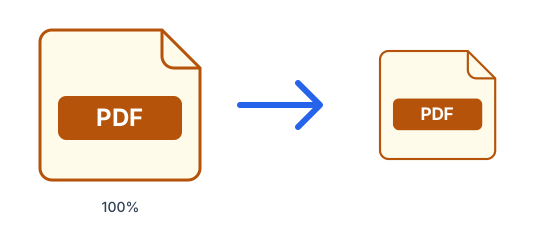
- Light
- Rewrites the file with maximum compression and keeps photos at up to 2400 px. Practically no visible difference.
- Balanced
- Photos are scaled to at most 1600 px at good JPEG quality — the right size for email and online forms.
- Strong
- Photos at 1100 px and lower quality for the smallest file. Text and vector graphics stay perfectly sharp.
Why compress a PDF?
- Email providers usually reject attachments over 20–25MB.
- Government, university and job portals often cap uploads at 1–10MB.
- Smaller PDFs open faster on phones and slow connections.
Tips for compressing PDF files
- PDFs made of scanned pages or photos shrink the most; text-only PDFs are usually small already.
- Password-protected PDFs cannot be compressed — remove the password first.
- Keep the original if you may need to print it at high quality later.
What is PDF?
PDF preserves a document's exact layout, fonts and images so it looks the same on every device and printer. It is the standard for sharing, signing and archiving final documents, but it is designed to be read rather than edited.
Frequently asked questions
- Is it free to compress PDF files?
- Yes. Free accounts can process files up to 50MB, 10 times every 24 hours; Pro raises that to 1.5GB with no daily limit.
- Will the quality drop?
- Only photos inside the PDF are re-encoded; text and vector graphics are never touched, so they stay sharp at every level.
- How much smaller will my file get?
- It depends on the content: files with large photos or high-resolution video shrink the most. If a file cannot be made smaller, you get the original back unchanged — never a bigger file.
- Is my file safe?
- Files travel over an encrypted connection, are scanned for malware (files up to 200 MB) and are deleted automatically: after 1 hour without an account, 24 hours with a free account, or 7 days with Pro.
- Can I compress files on my phone?
- Yes. It works in any modern browser on Android, iPhone, tablets and computers.
- Does the compressed file get a watermark?
- No. The PDF you download has no watermark, logo or added page.
- Which compression level should I choose?
- Start with balanced. If the file is still too big, try strong; if you notice quality loss, use light.