SVG to PDF Converter
Convert SVG to PDF online for free: nothing to install, no watermark, files encrypted in transit and deleted automatically after conversion.
Drag & drop your SVG file here, or
How to convert SVG to PDF in 3 steps
- 1
Upload your SVG file
Drag and drop or select the SVG file you want to convert.
- 2
Choose PDF as output
The output format is pre-selected for you — just confirm and start the conversion.
- 3
Download your file
Once processing finishes, download your converted PDF file instantly.
SVG vs PDF: what is the difference?
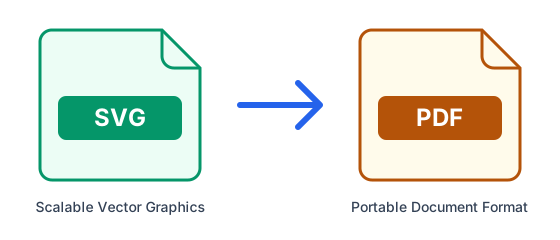
| SVG | ||
|---|---|---|
| Full name | Scalable Vector Graphics | Portable Document Format |
| Type | Vector image | Document |
| Compression | None | Built-in (ZIP/deflate) |
| Developed by | W3C | Adobe (ISO 32000) |
| File extension | .svg |
What is SVG?
SVG describes images as shapes and paths in XML rather than pixels, so it scales to any size without blurring. It is ideal for logos, icons and illustrations on the web, but not for photos, and many apps that expect a normal image cannot use it.
What is PDF?
PDF preserves a document's exact layout, fonts and images so it looks the same on every device and printer. It is the standard for sharing, signing and archiving final documents, but it is designed to be read rather than edited.
Tips for converting SVG to PDF
- Each image becomes one page of the PDF; convert several files at once to get several PDFs you can then merge.
- Start from the sharpest image you have: a PDF cannot add detail that the picture does not contain.
- A PDF made from an image keeps it as a picture, so its text is not selectable or searchable without OCR.
- If the PDF is too large to email, run it through the Compress PDF tool afterwards.
Frequently asked questions
- How do I convert SVG to PDF online?
- Upload your SVG file above, select PDF as the output format, and click Convert. ConvertFastHub processes the file in the cloud and gives you a download link — no software installation required.
- Is it free to convert SVG to PDF?
- Yes. Free accounts get 10 conversions every 24 hours with files up to 50MB. For unlimited conversions, larger files up to 1.5GB, and priority processing, upgrade to ConvertFastHub Pro.
- Is my file safe when I convert it?
- Files travel over an encrypted connection, are scanned automatically for malware (files up to 200 MB), are processed in an isolated worker and are deleted automatically: after 1 hour without an account, 24 hours with a free account, or 7 days with Pro.
- Can I convert SVG to PDF on my phone?
- Yes. The converter runs in the browser and the work happens on our servers, so it works the same on Android, iPhone, tablets and computers — there is no app to install.
- Do I need an account?
- No. You can convert without signing up; results are then kept for 1 hour. A free account keeps them for 24 hours and shows your conversion history.