MKV to FLAC Converter
Convert MKV to FLAC online for free: nothing to install, no watermark, files encrypted in transit and deleted automatically after conversion.
Drag & drop your MKV file here, or
How to convert MKV to FLAC in 3 steps
- 1
Upload your MKV file
Drag and drop or select the MKV file you want to convert.
- 2
Choose FLAC as output
The output format is pre-selected for you — just confirm and start the conversion.
- 3
Download your file
Once processing finishes, download your converted FLAC file instantly.
MKV vs FLAC: what is the difference?
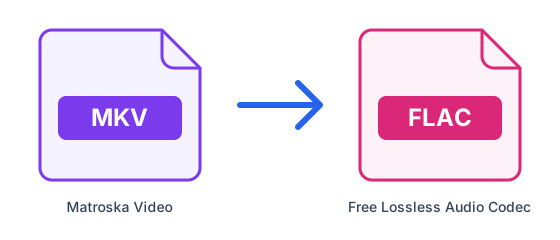
| MKV | FLAC | |
|---|---|---|
| Full name | Matroska Video | Free Lossless Audio Codec |
| Type | Video container | Lossless audio |
| Compression | Depends on the codec | Lossless |
| Developed by | Matroska.org | Xiph.Org Foundation |
| File extension | .mkv | .flac |
What is MKV?
MKV (Matroska) is an open, royalty-free container that can hold any number of video, audio and subtitle tracks plus chapters in a single file. It is popular for films and archives, but many phones, TVs and editors do not open it natively.
What is FLAC?
FLAC compresses audio without discarding anything: decoded, it is bit-for-bit identical to the original, yet typically 40–60% smaller than WAV. It is the favourite of audiophiles and music archives, although some older players and Apple apps do not support it.
Tips for converting MKV to FLAC
- Only the soundtrack of your MKV file goes into the FLAC; the picture is discarded.
- FLAC keeps the soundtrack without further loss, but the file is several times larger than an MP3.
- Long videos still take a while to process, and the MKV upload itself must fit the 50MB free limit.
- Keep the original video: the audio file cannot be turned back into it.
Frequently asked questions
- How do I convert MKV to FLAC online?
- Upload your MKV file above, select FLAC as the output format, and click Convert. ConvertFastHub processes the file in the cloud and gives you a download link — no software installation required.
- Is it free to convert MKV to FLAC?
- Yes. Free accounts get 10 conversions every 24 hours with files up to 50MB. For unlimited conversions, larger files up to 1.5GB, and priority processing, upgrade to ConvertFastHub Pro.
- Is my file safe when I convert it?
- Files travel over an encrypted connection, are scanned automatically for malware (files up to 200 MB), are processed in an isolated worker and are deleted automatically: after 1 hour without an account, 24 hours with a free account, or 7 days with Pro.
- Can I convert MKV to FLAC on my phone?
- Yes. The converter runs in the browser and the work happens on our servers, so it works the same on Android, iPhone, tablets and computers — there is no app to install.
- Do I need an account?
- No. You can convert without signing up; results are then kept for 1 hour. A free account keeps them for 24 hours and shows your conversion history.