GIF to MP4 Converter
Convert GIF to MP4 online for free: nothing to install, no watermark, files encrypted in transit and deleted automatically after conversion.
Drag & drop your GIF file here, or
How to convert GIF to MP4 in 3 steps
- 1
Upload your GIF file
Drag and drop or select the GIF file you want to convert.
- 2
Choose MP4 as output
The output format is pre-selected for you — just confirm and start the conversion.
- 3
Download your file
Once processing finishes, download your converted MP4 file instantly.
Converting GIF to MP4: what to know
When you need it
Large animated GIFs slow pages down, and some platforms reject them. As an MP4, the same animation is usually a fraction of the size, plays smoothly and is accepted by social networks, messengers and presentation software.
What to expect
The animation is encoded as an H.264 MP4 with the same frame size and no sound track, and the file is typically much smaller. Unlike a GIF, a video doesn't loop by itself everywhere: whether it repeats depends on the player or the platform.
Tip: For your own website, GIF to WebM gives an even smaller file; use MP4 when you need maximum compatibility.
GIF vs MP4: what is the difference?
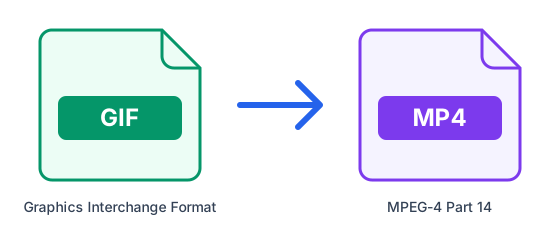
| GIF | MP4 | |
|---|---|---|
| Full name | Graphics Interchange Format | MPEG-4 Part 14 |
| Type | Raster image | Video container |
| Compression | Lossless | Depends on the codec |
| Developed by | CompuServe | MPEG (ISO/IEC) |
| File extension | .gif | .mp4 |
What is GIF?
GIF is the classic format for short animations and memes. It plays automatically and loops in every browser and chat app, but it is limited to 256 colours per frame and stores video very inefficiently, so animated GIFs are often many times larger than the same clip as MP4.
What is MP4?
MP4 is the most widely used video container. It usually carries H.264 or H.265 video with AAC audio, and it plays on practically every phone, browser, smart TV and editing program, which makes it the safest choice for sharing and uploading.
Tips for converting GIF to MP4
- A MP4 of the same animation is usually far smaller than the GIF, and it loops if the player is set to.
- The video will have no sound track, because GIFs never carry audio.
- Transparent areas of a GIF are filled with a solid colour, since common video formats do not keep transparency.
- Check that the site or app you want to post it on accepts MP4 uploads before converting many files.
Frequently asked questions
- How do I convert GIF to MP4 online?
- Upload your GIF file above, select MP4 as the output format, and click Convert. ConvertFastHub processes the file in the cloud and gives you a download link — no software installation required.
- Is it free to convert GIF to MP4?
- Yes. Free accounts get 10 conversions every 24 hours with files up to 50MB. For unlimited conversions, larger files up to 1.5GB, and priority processing, upgrade to ConvertFastHub Pro.
- Is my file safe when I convert it?
- Files travel over an encrypted connection, are scanned automatically for malware (files up to 200 MB), are processed in an isolated worker and are deleted automatically: after 1 hour without an account, 24 hours with a free account, or 7 days with Pro.
- Can I convert GIF to MP4 on my phone?
- Yes. The converter runs in the browser and the work happens on our servers, so it works the same on Android, iPhone, tablets and computers — there is no app to install.
- Do I need an account?
- No. You can convert without signing up; results are then kept for 1 hour. A free account keeps them for 24 hours and shows your conversion history.