AVI to MP4 Converter
Convert AVI to MP4 online for free: nothing to install, no watermark, files encrypted in transit and deleted automatically after conversion.
Advanced options
Drag & drop your AVI file here, or
How to convert AVI to MP4 in 3 steps
- 1
Upload your AVI file
Drag and drop or select the AVI file you want to convert.
- 2
Choose MP4 as output
The output format is pre-selected for you — just confirm and start the conversion.
- 3
Download your file
Once processing finishes, download your converted MP4 file instantly.
Converting AVI to MP4: what to know
When you need it
AVI files come from older cameras, DVDs ripped years ago and legacy software. MP4 is accepted by far more phones, TVs, editors and websites, so converting is how you keep old videos usable.
What to expect
Depending on what's inside the AVI, the streams are either copied into the MP4 as they are (fast, with no loss) or re-encoded. The picture can't gain detail it never had: an old low-resolution video stays low-resolution.
Tip: Old DivX or Xvid videos may keep their original codec when copied, which plays in most media players and TVs but not in web browsers or on some phones. Choosing a resolution under Advanced options forces a re-encode to H.264, which plays everywhere.
AVI vs MP4: what is the difference?
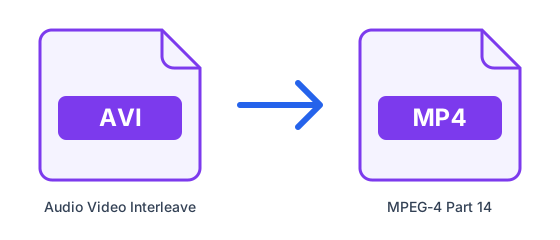
| AVI | MP4 | |
|---|---|---|
| Full name | Audio Video Interleave | MPEG-4 Part 14 |
| Type | Video container | Video container |
| Compression | Depends on the codec | Depends on the codec |
| Developed by | Microsoft | MPEG (ISO/IEC) |
| File extension | .avi | .mp4 |
What is AVI?
AVI is one of the oldest video containers, introduced by Microsoft for Windows. It is simple and still opens on older players and DVD hardware, but it lacks modern features such as efficient streaming and reliable subtitle support, and files tend to be large.
What is MP4?
MP4 is the most widely used video container. It usually carries H.264 or H.265 video with AAC audio, and it plays on practically every phone, browser, smart TV and editing program, which makes it the safest choice for sharing and uploading.
Tips for converting AVI to MP4
- Check the length and resolution of your AVI file first: long 4K videos take several minutes to process and may exceed the 50MB free limit.
- If you only need the soundtrack, pick an audio format such as MP3 instead of MP4 — the file will be much smaller.
- Keep the original video until you have checked the converted file plays correctly on the device you want to use.
- Subtitles and extra audio tracks are not always carried over between containers, so check them after converting.
Frequently asked questions
- How do I convert AVI to MP4 online?
- Upload your AVI file above, select MP4 as the output format, and click Convert. ConvertFastHub processes the file in the cloud and gives you a download link — no software installation required.
- Is it free to convert AVI to MP4?
- Yes. Free accounts get 10 conversions every 24 hours with files up to 50MB. For unlimited conversions, larger files up to 1.5GB, and priority processing, upgrade to ConvertFastHub Pro.
- Is my file safe when I convert it?
- Files travel over an encrypted connection, are scanned automatically for malware (files up to 200 MB), are processed in an isolated worker and are deleted automatically: after 1 hour without an account, 24 hours with a free account, or 7 days with Pro.
- Can I convert AVI to MP4 on my phone?
- Yes. The converter runs in the browser and the work happens on our servers, so it works the same on Android, iPhone, tablets and computers — there is no app to install.
- Do I need an account?
- No. You can convert without signing up; results are then kept for 1 hour. A free account keeps them for 24 hours and shows your conversion history.