OpenDocument to RTF Converter
Convert OpenDocument to RTF online for free: nothing to install, no watermark, files encrypted in transit and deleted automatically after conversion.
Drag & drop your ODT file here, or
How to convert OpenDocument to RTF in 3 steps
- 1
Upload your OpenDocument file
Drag and drop or select the OpenDocument file you want to convert.
- 2
Choose RTF as output
The output format is pre-selected for you — just confirm and start the conversion.
- 3
Download your file
Once processing finishes, download your converted RTF file instantly.
OpenDocument vs RTF: what is the difference?
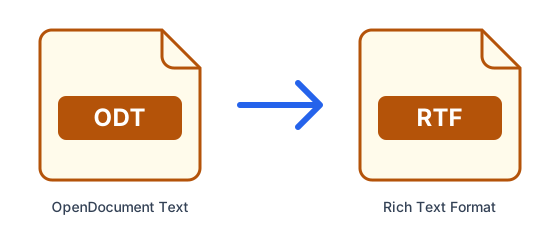
| OpenDocument | RTF | |
|---|---|---|
| Full name | OpenDocument Text | Rich Text Format |
| Type | Document | Document |
| Compression | Built-in (ZIP/deflate) | None |
| Developed by | OASIS (ISO/IEC 26300) | Microsoft |
| File extension | .odt | .rtf |
What is OpenDocument?
ODT is the OpenDocument text format, an international open standard and the default in free office suites. It is fully editable and vendor-neutral, and Microsoft Word and Google Docs can open it, sometimes with small layout differences.
What is RTF?
RTF is a simple, plain-text-based document format that keeps basic formatting such as fonts, bold, italics and tables. Almost every word processor opens it, which makes it a safe exchange format, but it does not handle complex layouts well.
Tips for converting OpenDocument to RTF
- Fonts that are not installed on our servers are replaced with similar ones, so check the layout of the converted file.
- Scanned documents are images: converting a scanned OpenDocument will not make its text editable (that requires OCR).
- Complex layouts, macros and embedded objects may not survive every conversion; review the RTF before sharing it.
- Password-protected files cannot be converted — remove the password first.
Frequently asked questions
- How do I convert OpenDocument to RTF online?
- Upload your OpenDocument file above, select RTF as the output format, and click Convert. ConvertFastHub processes the file in the cloud and gives you a download link — no software installation required.
- Is it free to convert OpenDocument to RTF?
- Yes. Free accounts get 10 conversions every 24 hours with files up to 50MB. For unlimited conversions, larger files up to 1.5GB, and priority processing, upgrade to ConvertFastHub Pro.
- Is my file safe when I convert it?
- Files travel over an encrypted connection, are scanned automatically for malware (files up to 200 MB), are processed in an isolated worker and are deleted automatically: after 1 hour without an account, 24 hours with a free account, or 7 days with Pro.
- Can I convert OpenDocument to RTF on my phone?
- Yes. The converter runs in the browser and the work happens on our servers, so it works the same on Android, iPhone, tablets and computers — there is no app to install.
- Do I need an account?
- No. You can convert without signing up; results are then kept for 1 hour. A free account keeps them for 24 hours and shows your conversion history.